> For the complete documentation index, see [llms.txt](https://documentation.opencrvs.org/llms.txt). Markdown versions of documentation pages are available by appending `.md` to page URLs; this page is available as [Markdown](https://documentation.opencrvs.org/v1.8/technology/interoperability/national-id-client/registration-integration.md).
# Registration integration
Interoperating with a National ID system at the point of registration, both synchronously and asynchronously.
In the OpenCRVS UI, when a registrar clicks the "Register" button on a fully complete and validated declaration, the legal authority has been given to create a birth registration. It is then possible to integrate with a National ID system, both synchronously and asynchronously.
### Synchronous integration - birth & death
Once internal audit has taken place of that action in the "workflow" microservice, the following endpoint in the configurable countryconfig microservice is called while the registration is in a `WAITING_VALIDATION` status:
```
/event-registration
```
The entire registration data payload is sent to [this endpoint](https://github.com/opencrvs/opencrvs-countryconfig/blob/4d9b0081e38f11325ff47cecc3a51df85b50cffb/src/index.ts#L431) as a FHIR Bundle.
{% hint style="warning" %}
The JWT token that is sent to this payload can be used in asynchronous operations explained below.
{% endhint %}
In our example we create a birth / death registration number at this point and return the amended payload to OpenCRVS. Any synchronous interaction with a National ID system can take place here.
If a 200 is returned from this handler, the record will proceed to register, gaining a `REGISTERED` status, and appear in the Ready To Print work queue.
If any error occurs such as a 500, the record will be placed in a `REJECTED` status with the reason being equal to whatever error code or message is available.
The following library can return a graceful rejection message.
```typescript
@hapi/boom badImplementation
```
### Aynchronous integration - birth & death
It is possible to use the same endpoint asynchronously. But first, the following setting must be set to true in [application-config.ts](/v1.8/setup/3.-installation/3.2-set-up-your-own-country-configuration/3.2.5-set-up-application-settings.md):
```typescript
EXTERNAL_VALIDATION_WORKQUEUE: true
```
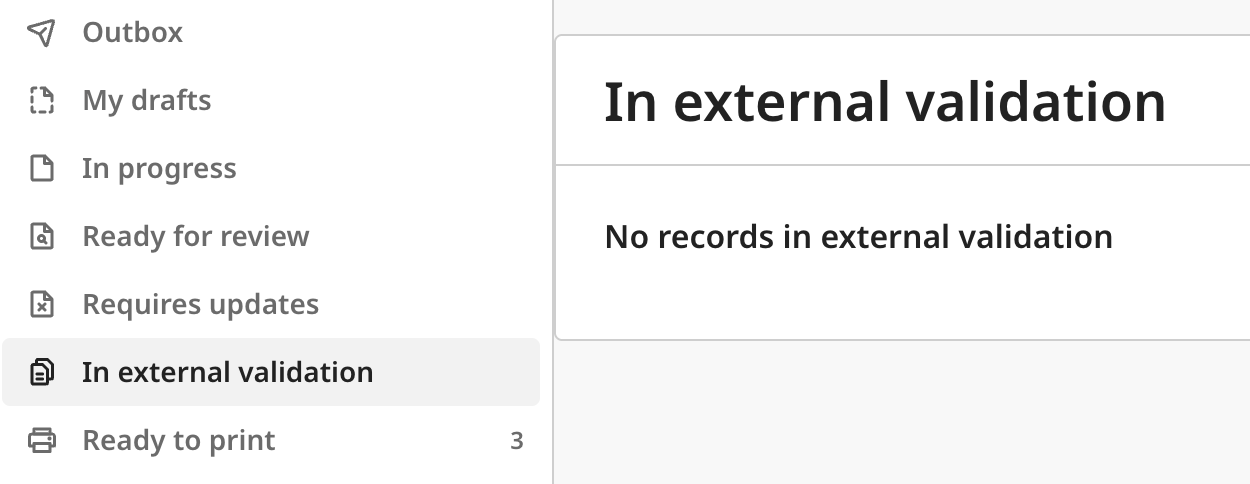
This configuration setting enables a work-queue "In external validation" that can hold records in a `WAITING_VALIDATION` status until an asynchronous process completes.
{% hint style="danger" %}
The JWT token that is sent to the /event-registration endpoint & the birth / death registration number that is generated here, must be stored by your asynchronous process and used in the next operation.
{% endhint %}
Using the JWT, you can call the gateway microservice GraphQL endpoint `confirmRegistration` resolver.
You can decode the JWT and retrieve the internal record uuid - the variable `id` used in the payload.
```
POST https://gateway./graphql
Content-Type: application/json
Authorization: Bearer {{token}}
{
"operationName": "confirmRegistration",
"query": "mutation confirmRegistration(
$id: ID!
$details: ConfirmRegistrationInput!
) {
confirmRegistration(id: $id, details: $details)
}",
"variables": {
"id":"",
"details": {
"identifiers": [{
"type": "NATIONAL_ID",
"value": ""
}],
"registrationNumber": "",
"comment": "",
}
}
}
```
---
# Agent Instructions
This documentation is published with GitBook. GitBook is the documentation platform designed so that both humans and AI agents can read, navigate, and reason over technical content effectively. Learn more at gitbook.com.
## Querying This Documentation
If you need additional information that is not directly available in this page, you can query the documentation by asking a question.
Perform an HTTP GET request on the following URL with the `ask` and `goal` query parameters:
```
GET https://documentation.opencrvs.org/v1.8/technology/interoperability/national-id-client/registration-integration.md?ask=&goal=
```
`ask` is the immediate question: it should be specific, self-contained, and written in natural language.
`goal` is what the user is ultimately trying to achieve, the reason they need the answer. Sharing it helps GitBook give you a better, more relevant answer. A goal is most helpful when it describes the outcome the user wants rather than restating the question. For example, with `ask=how do I create an API token`, a goal like `automate deployments from our CI pipeline` lets GitBook tailor the answer to that use case.
The response will contain a direct answer to the question and relevant excerpts and sources from the documentation.
Use this mechanism when the answer is not explicitly present in the current page, you need clarification or additional context, or you want to retrieve related documentation sections.