> For the complete documentation index, see [llms.txt](https://documentation.opencrvs.org/llms.txt). Markdown versions of documentation pages are available by appending `.md` to page URLs; this page is available as [Markdown](https://documentation.opencrvs.org/v1.8/technology/interoperability/create-a-client.md).
# APIs requiring OAuth credentials
In order to interoperate with OpenCRVS' record search, event notification and webhooks, you must first create an OAuth client.
Only a National System Administrator role can create a client. E.G. In our example for our fake country Farajaland, this is the user: **j.campbell**
1. Login to OpenCRVS as the user: **j.campbell**
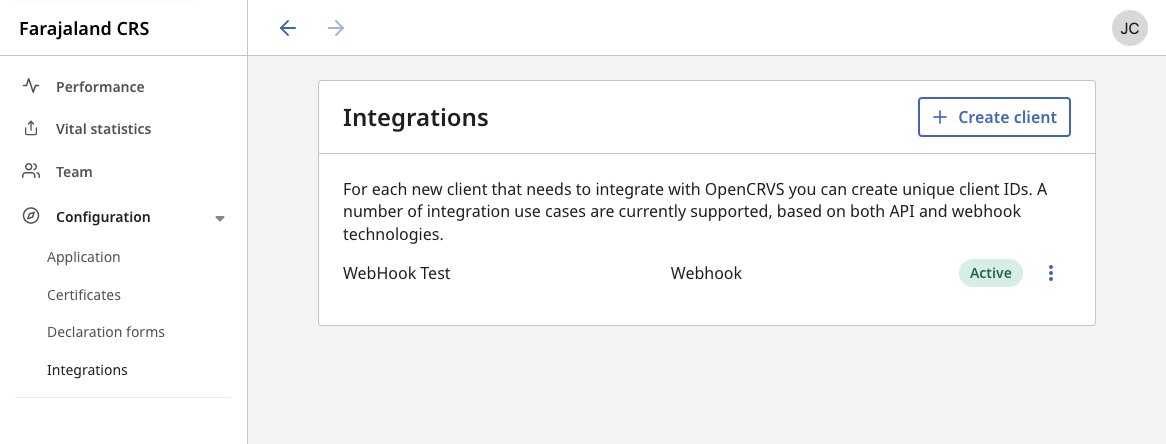
2. Use the left navigation to select the **Configuration** > **Integrations** section.
3\. Click **+ Create client**
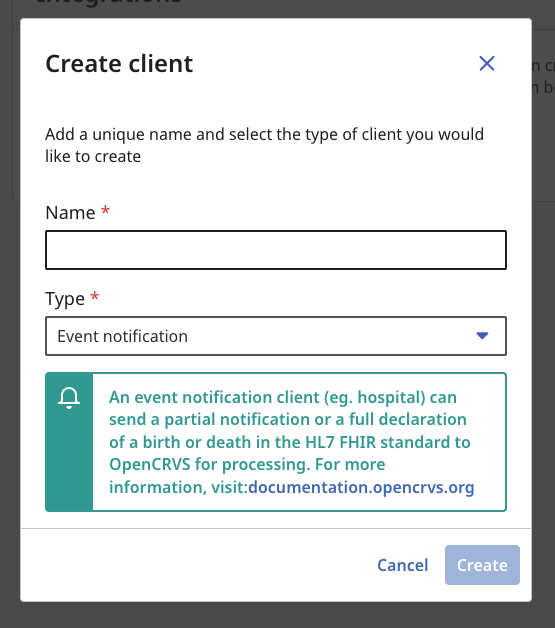
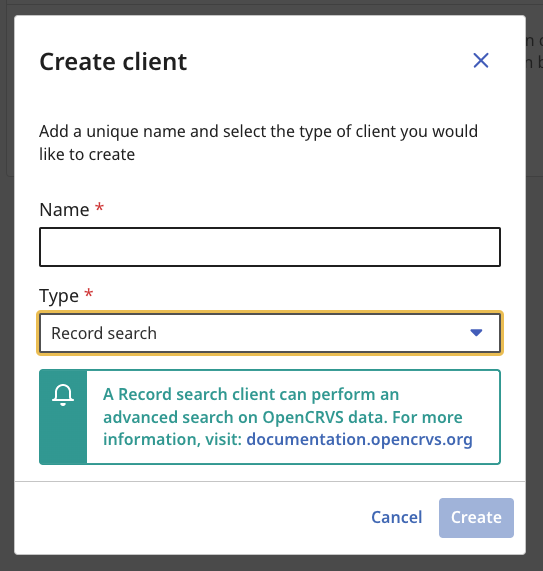
4\. You will see a modal overlay where you can select the type of client you wish to create. The business functionality available for each client is explained in subsequent pages in this section of our documentation.
**The type of client you create is important and can only perform API requests associated with the business functionality relevant to that type.** A Record Search client is not authorized to perform an Event Notification for example.
You must give each client a unique name.
Creating an Event notification client
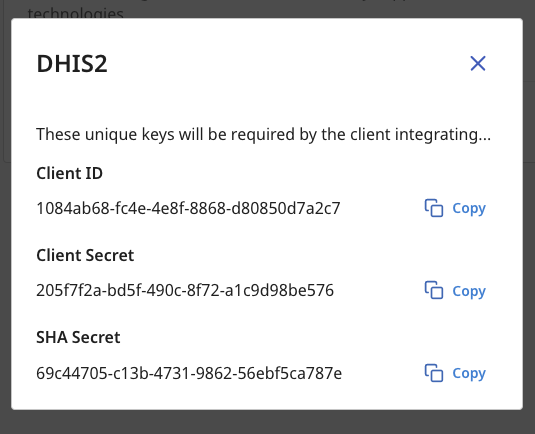
5\. When you click "Create", you will be shown the authentication details for the client along with a SHA Secret used to sign, encrypt, decrypt and verify the authenticity of payloads.
{% hint style="warning" %}
**You must copy these keys now! The Client Secret will never be displayed to you again and it cannot be retrieved from our database as it is encrypted.**
{% endhint %}
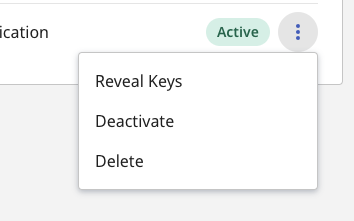
6\. You can manage existing clients by using the **3 dots** menu after the client has been created. You can **reveal the Client ID and SHA Secret keys** at any time and **refresh the Client Secret** to create a new one by selecting "**Reveal Keys**".
{% hint style="warning" %}
When you refresh a Client Secret, the old secret will no longer work for authentication.
{% endhint %}
You can also temporarily "**Deactivate**" and "**Enable**" a client or alternatively "**Delete**" it.
{% hint style="danger" %}
All client behaviour is audited and is ultimately the personal responsibility of the National System Administrator of OpenCRVS that created the client. Protect citizen data and do not expose access unnecessarily, as you may be in breach of local privacy laws.
{% endhint %}
{% hint style="danger" %}
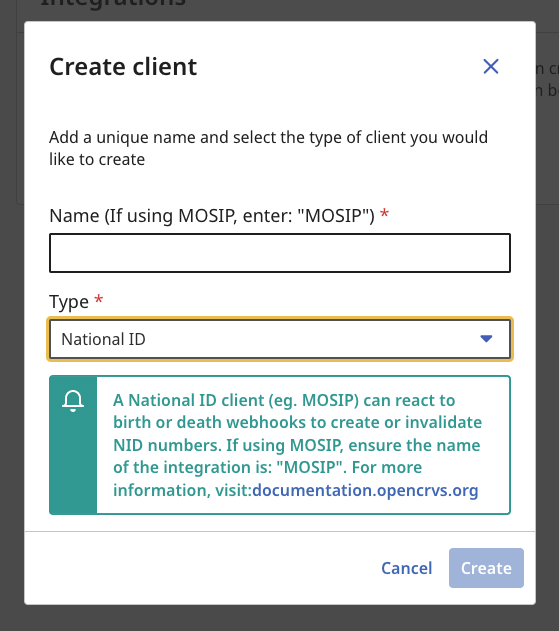
**The National ID client below is now deprecated in OpenCRVS v1.8.0.** Follow the National ID section in order to integrate a National ID system
{% endhint %}
---
# Agent Instructions
This documentation is published with GitBook. GitBook is the documentation platform designed so that both humans and AI agents can read, navigate, and reason over technical content effectively. Learn more at gitbook.com.
## Querying This Documentation
If you need additional information that is not directly available in this page, you can query the documentation by asking a question.
Perform an HTTP GET request on the following URL with the `ask` and `goal` query parameters:
```
GET https://documentation.opencrvs.org/v1.8/technology/interoperability/create-a-client.md?ask=&goal=
```
`ask` is the immediate question: it should be specific, self-contained, and written in natural language.
`goal` is what the user is ultimately trying to achieve, the reason they need the answer. Sharing it helps GitBook give you a better, more relevant answer. A goal is most helpful when it describes the outcome the user wants rather than restating the question. For example, with `ask=how do I create an API token`, a goal like `automate deployments from our CI pipeline` lets GitBook tailor the answer to that use case.
The response will contain a direct answer to the question and relevant excerpts and sources from the documentation.
Use this mechanism when the answer is not explicitly present in the current page, you need clarification or additional context, or you want to retrieve related documentation sections.