# 6.1 Pre-Deployment Checklist

### **Pre-Deployment Checklist**

We provide you with the pre-deployment checklist Excel file that you must complete before going live in your country.  Some points are explained in this video and table:

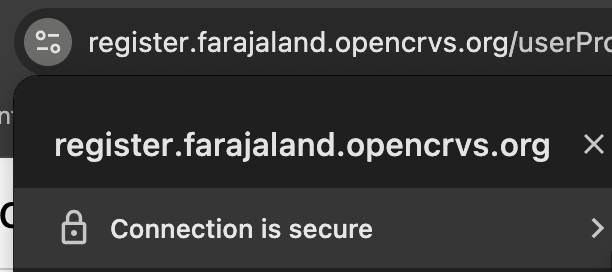
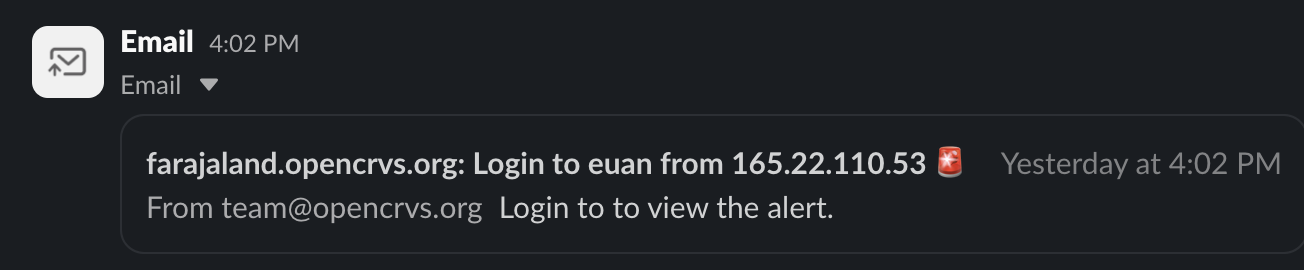
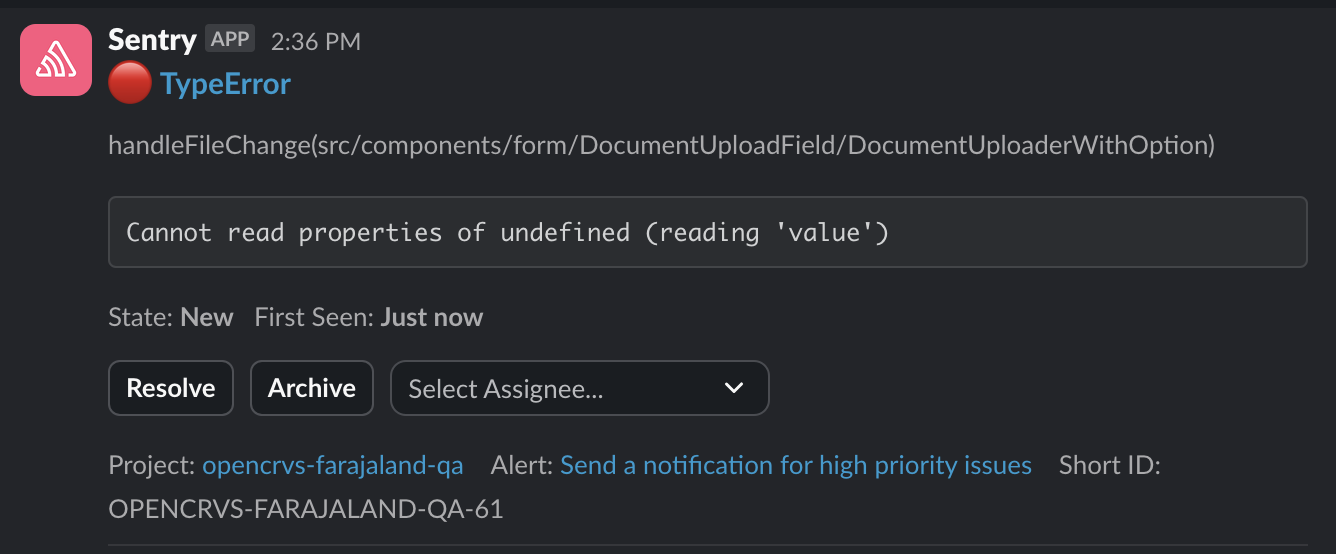
<table><thead><tr><th>Step</th><th>Explanation</th></tr></thead><tbody><tr><td>Provisioning &#x26; Deployment pipelines for Backup, QA, staging &#x26; production working</td><td>Your Github Actions should all be running without any errors in logs.  No red crosses!</td></tr><tr><td>SMTP service tested for emails and alerts</td><td>Not only should you confirm that emails are sending for staff, but you should receive emailed alerts too. If you have enabled Slack as the ALERT_EMAIL you would see an SSH login alert in Slack like this: <img src="https://content.gitbook.com/content/vgBjh6h3DfeeMhA5gwiP/blobs/5bvQQnbwoPmJD8u8mkFA/Screenshot%202024-11-14%20at%2009.50.00.png" alt=""></td></tr><tr><td>Setup DNS &#x26; TLS (HTTPS)</td><td>Your SSL certificate should be valid. <img src="https://content.gitbook.com/content/vgBjh6h3DfeeMhA5gwiP/blobs/jRiNf3YdUtIipzWFVi5g/Screenshot%202024-11-14%20at%2009.57.13.png" alt=""></td></tr><tr><td>Verify production backups restore on staging (pre-prod/mirror)</td><td>Ensure that the <a href="../3.-installation/3.3-set-up-a-server-hosted-environment/4.3.7-backup-and-restore">backup &#x26; restore</a> test is completed as documented.</td></tr><tr><td>Alert sent of SSH login</td><td>Ensure the SSH login alert is firing as mentioned above in the "SMTP service tested" description.</td></tr><tr><td>Verify a warning is received when disk space is at 50%, alert at 70%</td><td><p>To test this you need to create a temporary large file on your server.  Kibana will broadcast an alert. <img src="https://content.gitbook.com/content/vgBjh6h3DfeeMhA5gwiP/blobs/Yy87Nz6zsHwGCSFVHrCV/Screenshot%202024-11-14%20at%2017.22.40.png" alt="">    This example terminal command creates a file of 200G: </p><pre class="language-bash"><code class="lang-bash">sudo dd if=/dev/zero of=/large-file-to-trigger-alerts bs=200G count=100.

</code></pre></td></tr><tr><td>Optional: Confirm Sentry errors to Slack from QA, Staging and Prod</td><td>A test Sentry error in Slack looks something like this: <img src="https://content.gitbook.com/content/vgBjh6h3DfeeMhA5gwiP/blobs/mwRAPKsfhK09KY18vJSc/Screenshot%202024-11-14%20at%2017.22.57.png" alt=""></td></tr><tr><td>Are National System Admin passwords updated, minimum 12 chars long and stored in a Password Manager.</td><td>The National System Admin must immediately change their password from the password that exists in <a href="https://github.com/opencrvs/opencrvs-countryconfig/blob/develop/src/data-seeding/employees/source/prod-employees.csv">prod-employees.csv</a> . As they are a super user, they must confirm that the new password is saved in a password manager tool.</td></tr><tr><td>Github account is owned by country and OpenCRVS Core team are removed as admins</td><td>If the OpenCRVS team have assisted you to set up your Github organisation, they must no longer have "Admin" rights in your countryconfig repository otherwise they can potentially access citizen data.  </td></tr><tr><td>Verify firewall hides all ports from the public internet</td><td><strong>OpenCRVS should not be accessible on the public internet.</strong> But if you decide to do this <strong>at your own risk</strong> then this command can help you discover open ports: <code>nmap --open opencrvs.domain.com</code></td></tr><tr><td>Clear all data from production instances created during testing</td><td><a href="../3.-installation/3.3-set-up-a-server-hosted-environment/3.3.6-deploy-automated-and-manual/4.3.6.5-resetting-a-server-environment">Reset the production environment</a> so that it is clear of any test registrations.</td></tr><tr><td>Delete all test backups on backup server</td><td>SSH into the backup server and delete any test backups.  Especially if you have configured the backup server to store more than the default 7 days of backups.</td></tr><tr><td>Delete all terminal history on all <strong>production</strong>, <strong>staging</strong> and <strong>backup</strong> servers</td><td><p>You might have exported secrets in Terminal to use when resetting environments or debugging.  Clear the terminal history like this:  </p><pre class="language-bash"><code class="lang-bash">history -c
history -w
</code></pre></td></tr><tr><td>Remove OpenCRVS team members from SSH access to production, staging &#x26; backup servers</td><td>If the OpenCRVS team have assisted you to provision your <strong>production</strong>, <strong>staging</strong> and <strong>backup</strong> servers, their SSH access must be removed otherwise they can still access citizen data.  Follow the steps as documented <a href="../3.-installation/3.3-set-up-a-server-hosted-environment/4.3.5-provisioning-servers/4.3.5.1-ssh-access">here</a>.</td></tr></tbody></table>

{% hint style="info" %}
**Pre-Deployment Checklist Excel**

Download our Excel checklist in the "Technical" zip in the [OpenCRVS Requirements Templates](https://github.com/opencrvs/opencrvs-core/wiki/Gather-requirements)
{% endhint %}

{% embed url="<https://youtu.be/YXVTX85Ixpk>" %}

### Ongoing-Costs

As you have probably gathered from the server configuration section, some additional tooling is required to be paid for. These costs are negligble and support your installation with a secure code repository, bug tracking systems, alerting and forensic analysis. &#x20;

The Ongoing-Costs Excel sheet outlines the ownerhsip, status and costs and helps you project manage the provisioning of these tools.  They are explained in this video.

{% hint style="info" %}
**Ongoing-Costs Excel**

Download the Excel sheet in the "Technical" zip in the [OpenCRVS Requirements Templates](https://github.com/opencrvs/opencrvs-core/wiki/Gather-requirements)
{% endhint %}

{% embed url="<https://youtu.be/871kvHpzcwI>" %}

### Data Security Framework

The purpose of this document is to provide organisations with:

* An understanding of data security and privacy risks.&#x20;
* An understanding of the technical steps taken in OpenCRVS to mitigate against these risks.
* A guidance framework for the development of context-specific data security policies and procedures that should be designed and introduced by a government that has chosen to install OpenCRVS and digitise their civil registration system. &#x20;
* Security guidance for project managers and all staff involved on a temporary or continual basis in the following stages of an OpenCRVS project: a) design & implementation b) monitoring & maintenance and c) day-to-day usage of OpenCRVS.

Make sure that this document is shared with key stakeholders.

{% hint style="info" %}
**Data Security Framework**

Download the document from the "Technical" zip in the [OpenCRVS Requirements Templates](https://github.com/opencrvs/opencrvs-core/wiki/Gather-requirements)
{% endhint %}

{% embed url="<https://youtu.be/QiupSNdfwjQ>" %}

&#x20;