# Event Notification clients

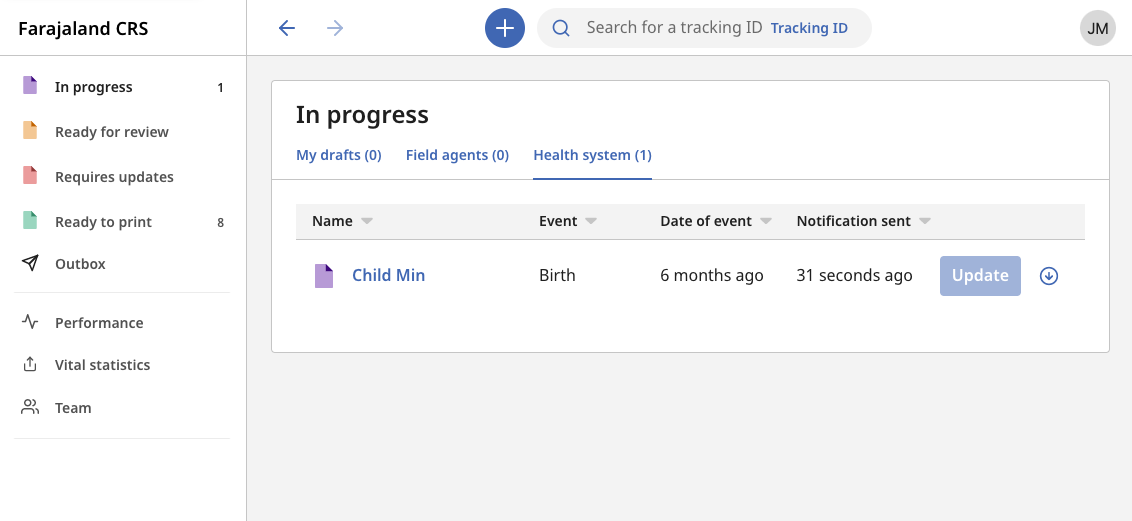
An Event Notification client can submit full or partial birth or death applications into an OpenCRVS' office "In Progress" or "Ready For Review" workqueue. Usually these clients are Hospitals, but technically these clients could be any system and the "Health system" label on the workqueue tab could be content managed accordingly.

<figure><img src="https://content.gitbook.com/content/vgBjh6h3DfeeMhA5gwiP/blobs/5FjNyT0MC8JumkZdNzUN/Screenshot%202023-01-11%20at%2015.39.53.png" alt=""><figcaption><p>An Event Notification in the OpenCRVS In Progress view</p></figcaption></figure>

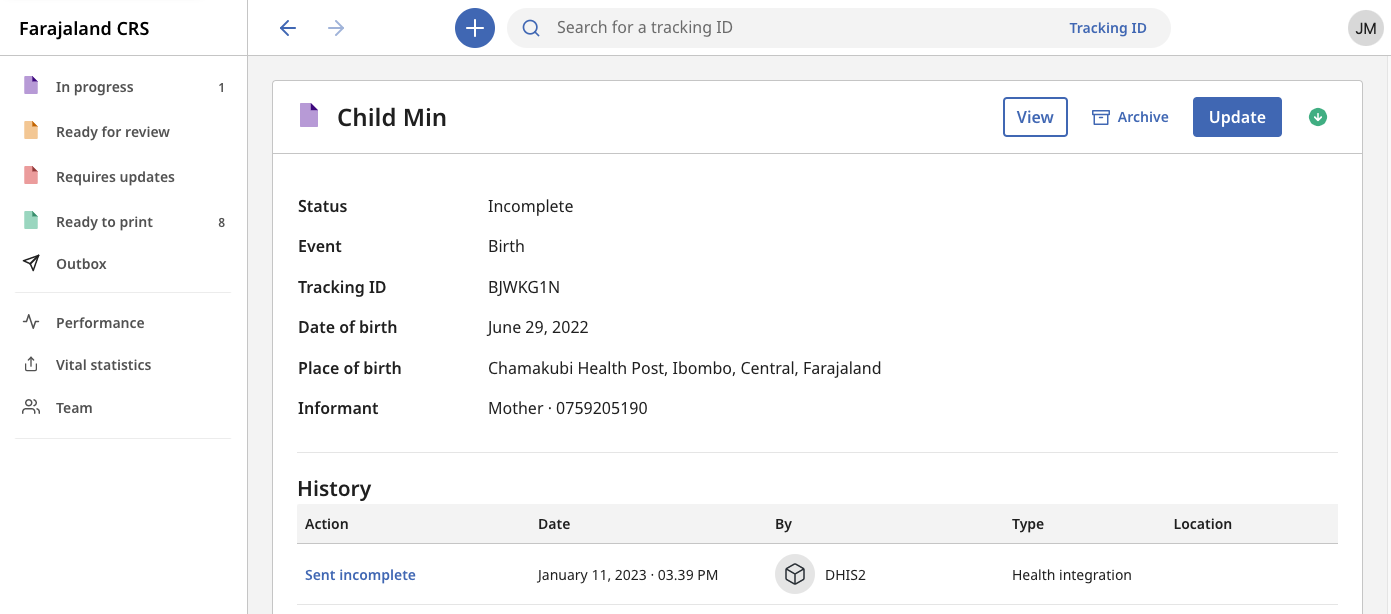
When Event Notifications are received in OpenCRVS, they are audited accordingly as being received from one of your automated clients.

<figure><img src="https://content.gitbook.com/content/vgBjh6h3DfeeMhA5gwiP/blobs/E1OaXwJ0c1tsXQaDzRlV/Screenshot%202023-01-11%20at%2015.40.23.png" alt=""><figcaption><p>Record Audit view for an Event Notification</p></figcaption></figure>

{% hint style="info" %}
You can use our [Postman collections](https://github.com/opencrvs/opencrvs-countryconfig/tree/master/postman) to test Event Notification API functionality. [Postman](https://www.postman.com/) is a tool you can download to test API access before building your integrations.
{% endhint %}

**Submitting an Event Notification**

To submit an Event Notification, your client must first request an [authorization token ](https://documentation.opencrvs.org/v1.7/technology/interoperability/authenticate-a-client)using your `client_id` and `client_secret`.

#### Event Notification Requests

With the token as an authorization header, the following request will submit a minimal birth declaration in [FHIR](https://www.hl7.org/fhir/overview.html). To learn more about our FHIR standard, read the [standards](https://documentation.opencrvs.org/v1.7/technology/standards) section.

Parameters in handlebars must be substituted with specific data that requires further explanation below. Other data is given as an example, but you can refer to our [standards](https://documentation.opencrvs.org/v1.7/technology/standards) to set the values correctly depending on the birth or death.

Refer to our [Postman collections](https://github.com/opencrvs/opencrvs-countryconfig/tree/master/postman) to see a payload for a full birth declaration, minimal and full death declaration. Pay attention to the parameters that are dynamically provided from the Postman "Environments" to understand where to configure your URLs and other variables listed below.  You should use the [FHIR Location API](https://documentation.opencrvs.org/v1.7/technology/interoperability/fhir-location-rest-api) in tandem with the Event Notification API in order to find the required FHIR IDs for locations used in addresses, places of birth, office of registration etc.

<table><thead><tr><th>Parameter</th><th>Description</th></tr></thead><tbody><tr><td><pre><code>token
</code></pre></td><td>An <a href="authenticate-a-client">authorization token</a></td></tr><tr><td><pre><code>officeId
</code></pre></td><td>This is an important parameter. It is a FHIR Location uuid for a <strong>Civil Registration Office that you wish this notification to arrive in the jurisdiction / workqueue of</strong>. You can retrieve these ids using our open <a href="fhir-location-rest-api">Location API</a>. Your offices are customised for your country needs in <a href="https://github.com/opencrvs/documentation/blob/master/v1.7.0/setup/3.-installation/3.2-set-up-your-own-country-configuration/3.2.3-set-up-cr-offices-and-health-facilities">this step.</a></td></tr><tr><td><pre><code>districtId
</code></pre></td><td>If you are submitting addresses, then this is an optional FHIR Location uuid for the <strong>locationLevel2, technically expressed as a "district".</strong> You can retrieve these ids using our open <a href="fhir-location-rest-api">Location API</a>. Your location levels are customised for your country needs in <a href="https://github.com/opencrvs/documentation/blob/master/v1.7.0/setup/3.-installation/3.2-set-up-your-own-country-configuration/3.2.2-set-up-administrative-address-divisions">this step.</a></td></tr><tr><td><pre><code>stateId
</code></pre></td><td>If you are submitting addresses, then this is an optional FHIR Location uuid for the <strong>locationLevel1, technically expressed as a "state".</strong> You can retrieve these ids using our open <a href="fhir-location-rest-api">Location API</a>. Your location levels are customised for your country needs in <a href="https://github.com/opencrvs/documentation/blob/master/v1.7.0/setup/3.-installation/3.2-set-up-your-own-country-configuration/3.2.2-set-up-administrative-address-divisions">this step.</a></td></tr><tr><td><pre><code>facilityId
</code></pre></td><td>A FHIR Location id for a <strong>facility that is already in the OpenCRVS database to track places of births or deaths in health institutions.</strong> You can retrieve these ids using our open <a href="fhir-location-rest-api">Location API</a>. Your health facilities are customised for your country needs in <a href="https://github.com/opencrvs/documentation/blob/master/v1.7.0/setup/3.-installation/3.2-set-up-your-own-country-configuration/3.2.3-set-up-cr-offices-and-health-facilities">this step.</a></td></tr><tr><td><pre><code>countryCode
</code></pre></td><td>The <a href="https://www.iban.com/country-codes">Alpha-3 country code</a> for the address. E.G. <strong>UGD</strong> for Uganda, <strong>FAR</strong> for our fictional country Farajaland.</td></tr></tbody></table>

#### Event Notification Response

If the notification has been successfully processed by OpenCRVS, you will receive a **200 OK** response and a full [FHIR Composition](https://github.com/opencrvs/documentation/blob/master/v1.7.0/technology/interoperability/technology/standards/fhir-documents/event-composition.md) payload back.

If the request fails, you will receive a **500** Error and you must check the payload you are sending for errors. No error codes or explanations currently exist. We welcome pull requests to improve the developer experience here.