| authenticationCodeNotification | No | Received by a staff member when logging in. Used to send the 2FA code for authentication during login REQUIRED IN PRODUCTION FOR SECURITY REASONS!! In development and qa environments, the 2FA code is always six zeros: 000000 | Your OpenCRVS authentication code is: {{authCode}} | OpenCRVS Staff |
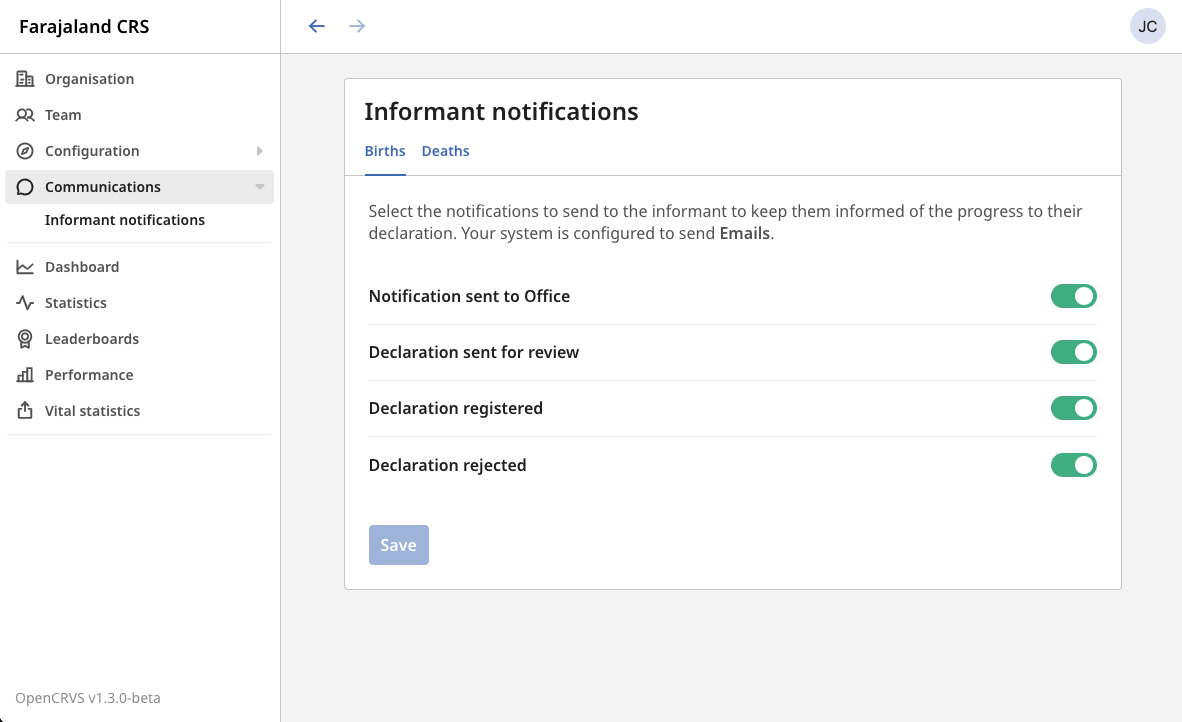
| <event>InProgressNotification | Yes | Received by a beneficiary when a hospital submits an automated "notification", or a Field Agent submits an in-complete "declaration" | <event> registration tracking ID is {{trackingId}}. You must visit {{crvsOffice}} to complete the declaration | Citizen (Informant) using their mobile number. |
| <event>DeclarationNotification | Yes | Received by a beneficiary when a Field Agent or Registration agent submits a complete "declaration" for review by a Registrar. | <event> registration tracking ID for {{name}} is {{trackingId}}. You will get an SMS within 2 days with progress and next steps. | Citizen (Informant) using their mobile number. |
| <event>RegistrationNotification | Yes | Received by a beneficiary when the event is officially "registered" by a Registrar | Congratulations, the <event> of {{name}} has been registered. Visit your local registration office in 5 days with your ID to collect the certificate. Your tracking ID is {{trackingId}}. | Citizen (Informant) using their mobile number. |
| <event>RejectionNotification | Yes | Received by a beneficiary when the event is "rejected" by a Registrar due to an error such as mistaken spelling or incomplete supporting documentation. | <event> registration declaration for {{name}} ( Tracking ID: {{trackingId}} ) has been rejected. Please visit your local registration office for more information. | Citizen (Informant) using their mobile number. |
| userCredentialsNotification | No | Received by a staff member when their OpenCRVS account has been created by a System Administrator | Your OpenCRVS account has been created. Please login with your username: {{username}} and temporary password: {{password}} | OpenCRVS Staff |
| retrieveUserNameNotification | No | Received by staff when they have forgotten their username | Your username for OpenCRVS is: {{username}} | OpenCRVS Staff |
| updateUserNameNotification | No | Received by staff when a System Administrator has changed their username | Your OpenCRVS username has been updated to: {{username}}. Your password has not changed. | OpenCRVS Staff |
| resetUserPasswordNotification | No | Received by staff when a System Administrator has changed their password | Your password has been reset. Please login to {{applicationName}} with the temporary password: {{password}}. | OpenCRVS Staff |