> For the complete documentation index, see [llms.txt](https://documentation.opencrvs.org/llms.txt). Markdown versions of documentation pages are available by appending `.md` to page URLs; this page is available as [Markdown](https://documentation.opencrvs.org/technical/guides/configuration/administrative-hierarchy/how-to-limit-location-and-administrative-area-options-in-event-declaration.md).
# How to limit location and administrative area options in event declaration
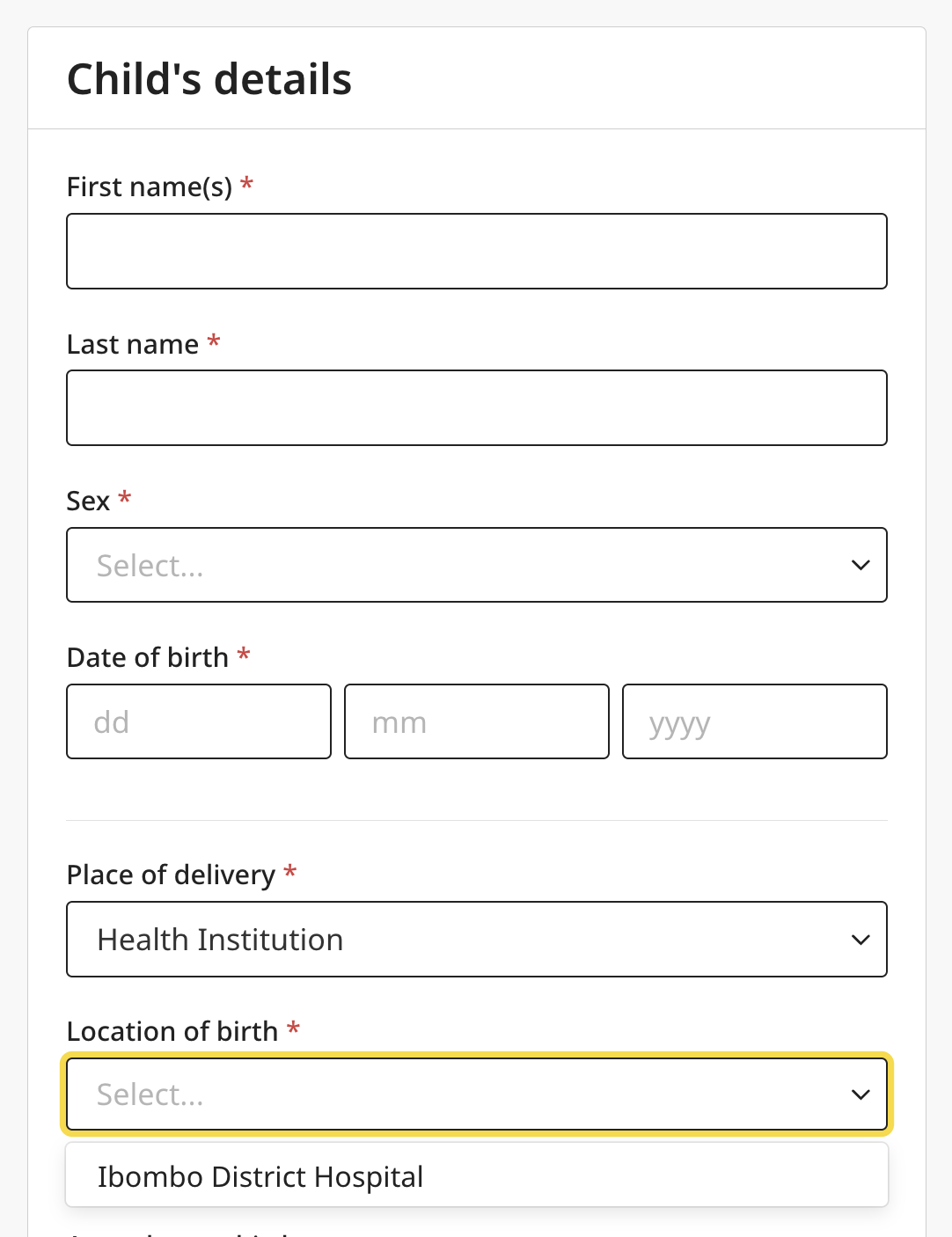
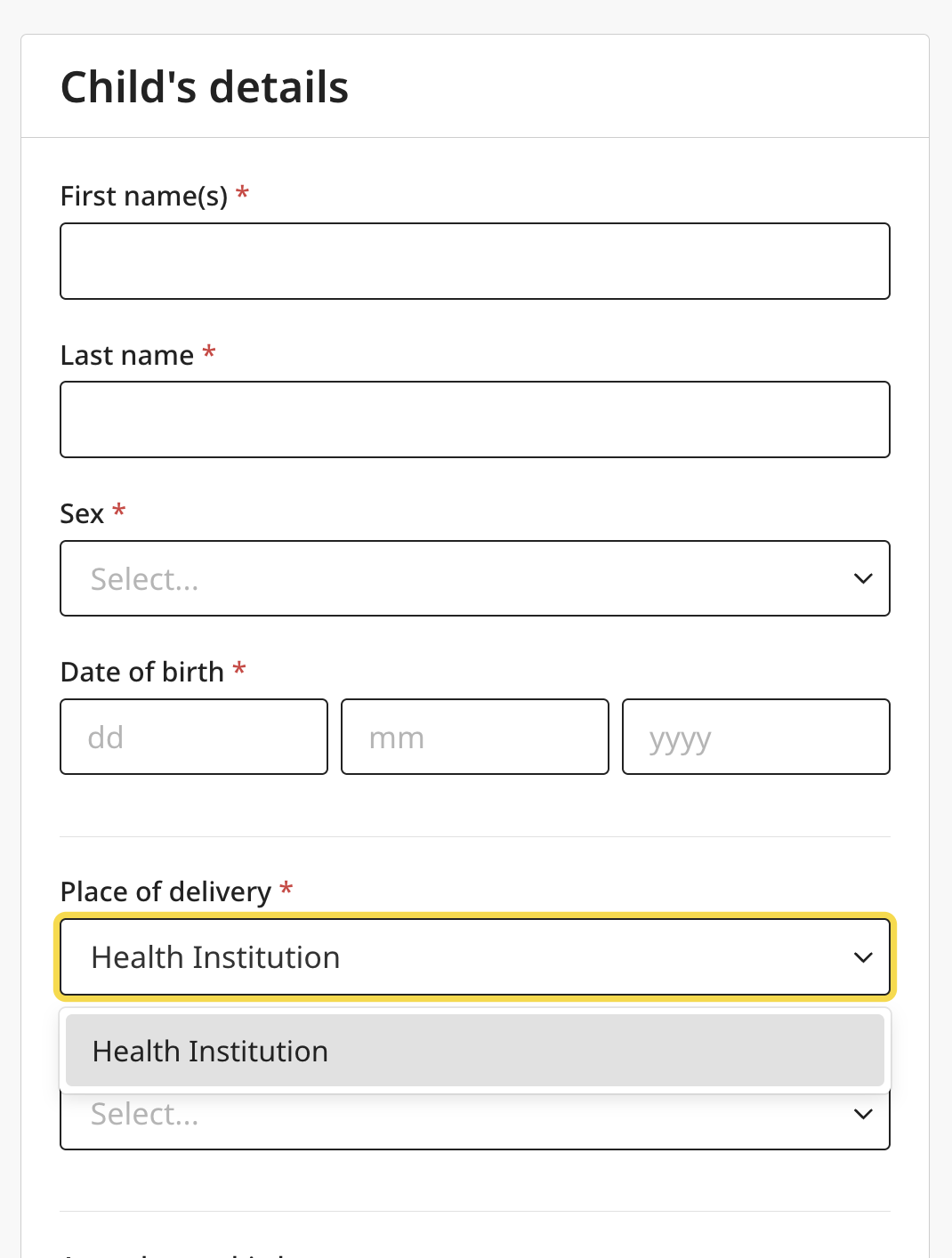
Scopes serve two purposes: keeping the system secure by granting only the necessary access, and making declarations easy and intuitive to fill in. In this example, a `HOSPITAL_CLERK` can only declare births at their own location.
[See other roles to help you configure your own.](https://github.com/opencrvs/opencrvs-core/blob/v2.1.0/packages/countryconfig-template/src/data-seeding/roles/roles.ts)\
\
**Example: `HOSPITAL_CLERK`**
**Step 1: Configure the role**
```
const hospitalClerk = {
id: 'HOSPITAL_CLERK',
label: {
defaultMessage: 'Hospital Official',
description: 'Name for user role Hospital Official',
id: 'userRole.hospitalClerk'
},
scopes: defineScopes([
{ type: 'record.create', options: { placeOfEvent: 'location' } },
{ type: 'record.read', options: { placeOfEvent: 'location' } },
{ type: 'record.declare', options: { placeOfEvent: 'location' } },
{ type: 'record.notify', options: { placeOfEvent: 'location' } },
])
}
```
**Step 2: Configure the event form**
[See the full event example for context.](https://github.com/opencrvs/opencrvs-core/blob/v2.1.0/packages/countryconfig-template/src/events/birth/forms/pages/child.ts)
// 1. Other dropdown options are not shown for the HOSPITAL_CLERK. Only HEALTH_FACILITY is visible.
const placeOfBirthOptions = [
  {
    value: PlaceOfBirth.HEALTH_FACILITY,
    label: placeOfBirthMessageDescriptors.HEALTH_FACILITY,
    ]
  },
  {
    value: PlaceOfBirth.PRIVATE_HOME,
    label: placeOfBirthMessageDescriptors.PRIVATE_HOME,
    conditionals: [
      {
        type: ConditionalType.SHOW,
        conditional: not(user.hasRole('HOSPITAL_CLERK'))
      }
    ]
  },
  {
    value: PlaceOfBirth.OTHER,
    label: placeOfBirthMessageDescriptors.OTHER.defaultMessage,
    conditionals: [
      {
        type: ConditionalType.SHOW,
        conditional: not(user.hasRole('HOSPITAL_CLERK'))
      }
    ]
  }
] satisfies SelectOption[]

// 2. Configure select with options.
const child =  {
    id: 'child.placeOfBirth',
    type: FieldType.SELECT,
    options: placeOfBirthOptions
  },
    // 3. Configure
    {
      id: 'child.birthLocation',
      type: FieldType.LOCATION,
      // 4. Field is only shown when HEALTH_FACILITY is selected.
      conditionals: [
        {
          type: ConditionalType.SHOW,
          conditional: field('child.placeOfBirth').isEqualTo(
            PlaceOfBirth.HEALTH_FACILITY
          )
        }
      ],
      configuration: {
      // 5. By default any type of location is included. Now we filter by "HEALTH_FACILITY" type
        locationTypes: ['HEALTH_FACILITY'],
        // 6. Another filter which further limits options only to what user's record.scope has.
        allowedLocations: user.jurisdiction(
          user.scope('record.create').attribute('placeOfEvent')
        )
      }
    }
## Limiting options by version status and date
`LOCATION` and `ADMINISTRATIVE_AREA` fields also accept two options tied to [location versioning](/technical/guides/configuration/administrative-hierarchy/updates-and-versioning.md). On an `ADDRESS` field, the same two options go on the address field's own `configuration` — not on its nested `fields[]` entries — and apply to its embedded admin-area selectors:
* `activeOnly` — offer only locations/areas that are active at the resolved anchor date. Inactive or not-yet-effective versions are excluded from the options, and the label shown for every remaining option is resolved at that same anchor.
* `anchorToDateOfEvent` — resolve the anchor against the event's own date of event instead of today. The date of event falls back to the record's creation date whenever it can't be read: the field is empty, holds a partial or invalid value, or the event doesn't configure a `dateOfEvent` field at all — `dateOfEvent` is optional and defaults to the creation date. On an event with no `dateOfEvent` configured, `anchorToDateOfEvent` is therefore a silent no-op: the anchor is always the creation date either way. This flag does not by itself exclude inactive versions — combine it with `activeOnly` for that.
If neither flag is set, a field lists every location or area regardless of active/inactive/future status, each labeled with its name as of today.
With `anchorToDateOfEvent` set, editing the date of event can also clear an already-picked location: whenever the selection resolves to a different version at the new anchor than it did at the old one, the field's value is cleared and the registrar must reselect. This covers the location becoming unselectable at the new date (inactive, or not yet effective) but also a plain rename with no status change — a version change always invalidates the selection, so the registrar re-confirms rather than the field silently keeping a stale pick.
The deprecated `FACILITY`/`OFFICE` field types accept both flags in their configuration but ignore `anchorToDateOfEvent` — they always anchor to today. Use `LOCATION` with `locationTypes: ['HEALTH_FACILITY']` (or `['CRVS_OFFICE']`) instead.
```
{
id: 'child.birthLocation',
type: FieldType.LOCATION,
configuration: {
locationTypes: ['HEALTH_FACILITY'],
activeOnly: true,
anchorToDateOfEvent: true
}
}
```
With both set, a birth declaration only offers health facilities that were active on the event's date of event — whichever field that event configures as its `dateOfEvent`, e.g. the child's date of birth — rather than facilities active today.
---
# Agent Instructions
This documentation is published with GitBook. GitBook is the documentation platform designed so that both humans and AI agents can read, navigate, and reason over technical content effectively. Learn more at gitbook.com.
## Querying This Documentation
If you need additional information that is not directly available in this page, you can query the documentation by asking a question.
Perform an HTTP GET request on the following URL with the `ask` and `goal` query parameters:
```
GET https://documentation.opencrvs.org/technical/guides/configuration/administrative-hierarchy/how-to-limit-location-and-administrative-area-options-in-event-declaration.md?ask=&goal=
```
`ask` is the immediate question: it should be specific, self-contained, and written in natural language.
`goal` is what the user is ultimately trying to achieve, the reason they need the answer. Sharing it helps GitBook give you a better, more relevant answer. A goal is most helpful when it describes the outcome the user wants rather than restating the question. For example, with `ask=how do I create an API token`, a goal like `automate deployments from our CI pipeline` lets GitBook tailor the answer to that use case.
The response will contain a direct answer to the question and relevant excerpts and sources from the documentation.
Use this mechanism when the answer is not explicitly present in the current page, you need clarification or additional context, or you want to retrieve related documentation sections.