> For the complete documentation index, see [llms.txt](https://documentation.opencrvs.org/llms.txt). Markdown versions of documentation pages are available by appending `.md` to page URLs; this page is available as [Markdown](https://documentation.opencrvs.org/implementation/your-opencrvs-project/gathering-requirements/co-design-and-validation.md).
# Co-Design & validation
Collaborative workshops for alignment in solution development
### 1. Introduction
This is the third stage of [Gathering requirements](https://documentation.opencrvs.org/v2.0/implementation/your-opencrvs/gathering-requirements). Here you bring stakeholders together — government, service providers, technical partners and, where possible, citizens — to validate what you found in the field, agree what matters most, and co-create the future service.
The work is workshop-driven. By the end you should have a shared, evidence-backed vision that the government will commit to: a clear scope, a prioritised set of features, and the technical groundwork (roles, office hierarchy and integrations) that the build depends on.
{% hint style="info" %}
**What this stage produces:** an agreed scope and a future service model, with prioritised features, finalised user roles and office hierarchy, and integration use-cases. These are the inputs to [Design & Specification](https://documentation.opencrvs.org/v2.0/implementation/your-opencrvs/gathering-requirements/design-and-specification).
{% endhint %}
**When:** This stage follows [Field Research & Discovery](https://documentation.opencrvs.org/v2.0/implementation/your-opencrvs/gathering-requirements/field-research-and-discovery). Indicative duration: **1–2 weeks** of workshops, plus preparation and write-up. It scales with the number of events in scope and the number of stakeholder groups to align.
**Before you start, you should have** the outputs of Field Research & Discovery:
* validated "as-is" process maps for each in-scope event
* a business-rules register and a set of non-functional requirements
* a prioritised shortlist of the top 5–10 problems, with evidence
* a findings readout to anchor the workshops
* confirmed availability of the stakeholders you need in the room.
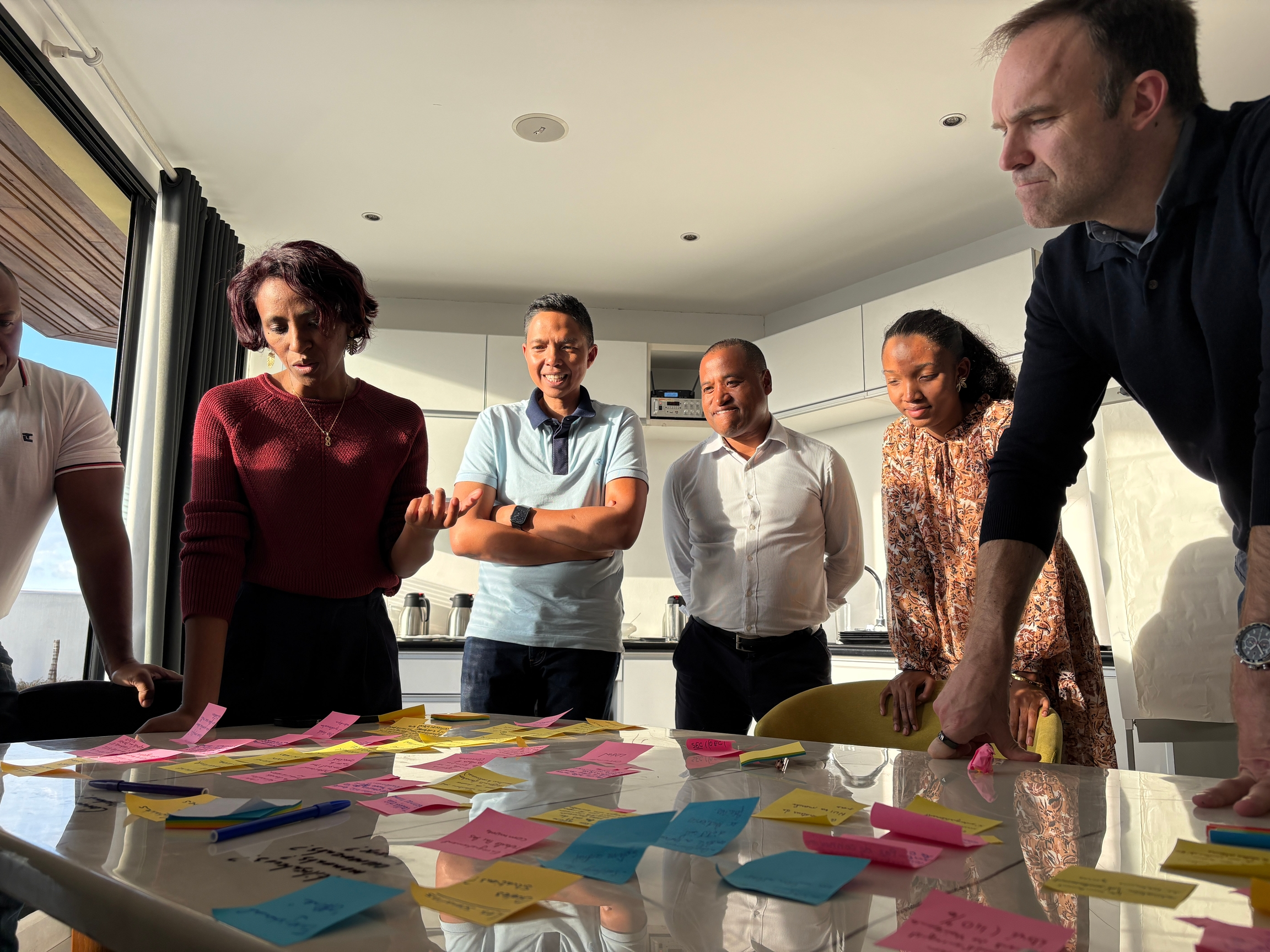
Multiple national stakeholders during co-design workshops to align on priorities for future service delivery models.
***
### 2. Validate and align
Start by confirming the evidence with the people who own and run the system, so that everything downstream rests on a shared understanding rather than the project team's interpretation.
#### 2.1 Agree the CRVS business objectives
Run a workshop to review, co-create and prioritise the objectives for the programme — linking specific improvements (such as digitisation) to outcomes that matter: better services, greater inclusion, and more reliable vital statistics. **Output:** a short statement of agreed objectives, endorsed by leadership, that commits the organisation and guides later decisions.
#### 2.2 Validate the as-is processes
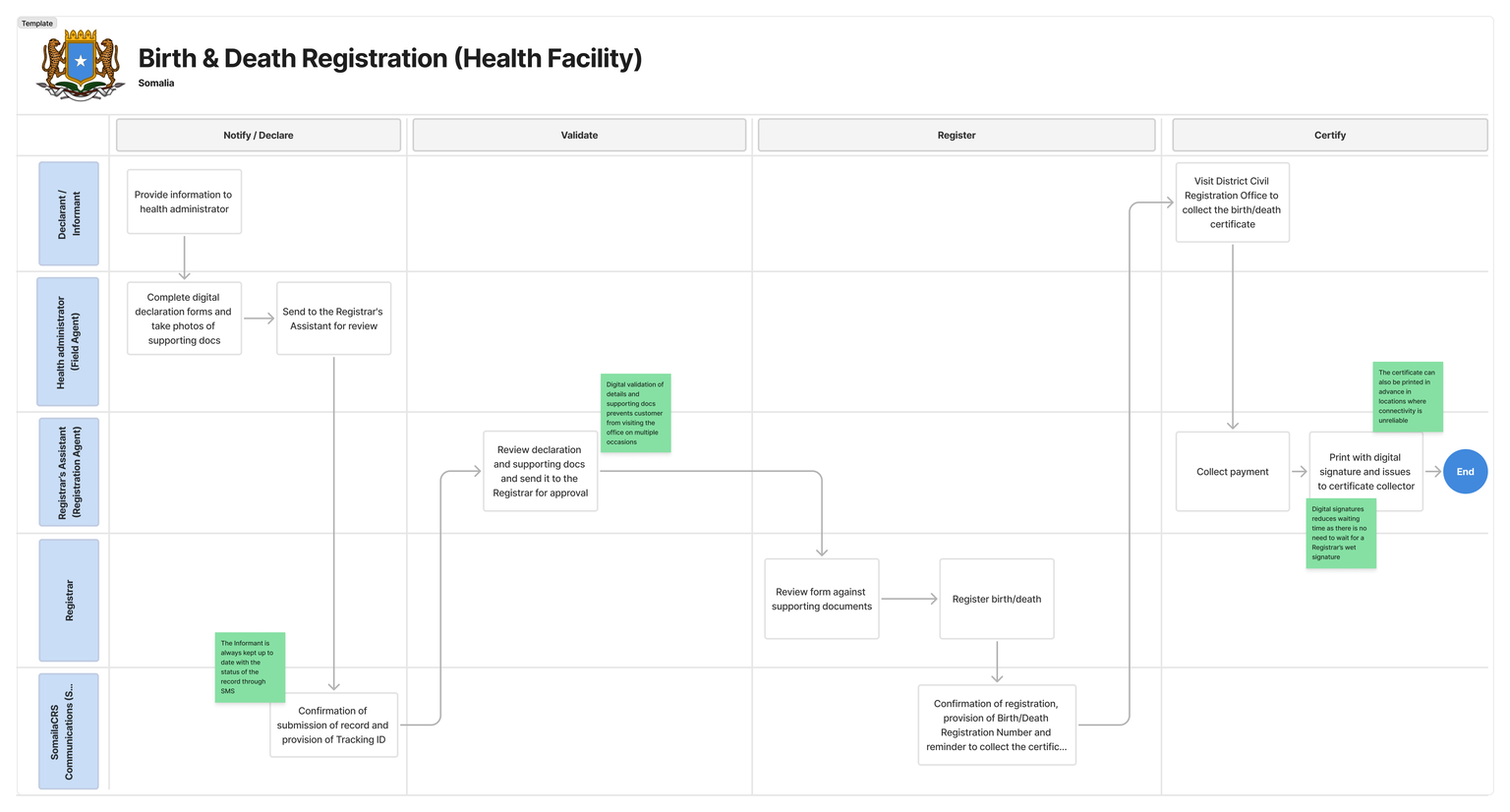
Walk the field-derived process maps through with a diverse group of stakeholders to confirm they are accurate and to build a shared view of where the current system fails — inefficiencies, inequities and access barriers. **Output:** validated as-is maps and an agreed list of bottlenecks and barriers, ready to prioritise.
#### 2.3 Agree the priority problems to solve
Turn the discovery findings into a set of concise problem statements that decision-makers sign up to. Synthesise the evidence into themes, share the stories behind them, and agree what the project will and will not try to fix. **Output:** an agreed set of problem statements — the design mandate for the rest of the stage.
***
### 3. Define the future service and scope
With problems agreed, co-design the future service, check what OpenCRVS already supports, and decide what to build first.
#### **3.1 Shape the future Service Delivery Model (SDM)**
A Service Delivery Model describes how the future service works end to end: the roles involved, the channels citizens use to interact (in person, online, mobile), and the process steps for each event. Aim beyond incremental fixes — design a model that adapts to demographic and technological change and is organised around life events. Useful techniques include scenario planning (for example, mobile-first), service design (journey maps) and rapid prototyping, blending global good practice with local realities. **Output:** an agreed future SDM for each in-scope event.
#### **3.2 Map requirements to OpenCRVS use cases**
Before prioritising, check what OpenCRVS already does. Break each future SDM down into the features and requirements it implies, then map each one against the [Use case inventory](https://documentation.opencrvs.org/v2.0/releases/editor) — the canonical list of capabilities OpenCRVS supports. This fit-gap analysis tells you, for every requirement, whether the route to delivering it is configuration or new design work, which is what makes the effort scoring in 3.3 reliable rather than a guess.
Tag each requirement one of three ways:
* **Supported** — covered by a current use case; the route is configuration. Effort is low and knowable.
* **Partially supported** — achievable through configuration plus a workaround (for example a custom action, a flag, or a process change). The workaround still has to be designed, so effort is medium.
* **Not supported** — no current use case covers it. This is a genuine gap that needs a deliberate decision in 3.4.
| Requirement / feature | Maps to OpenCRVS use case | Support level | Route to deliver | Notes |
| ---------------------------------------- | --------------------------------- | --------------------- | ------------------------------------- | ----------------------------------- |
| *Health-facility birth notification* | *Notify (incomplete declaration)* | *Supported* | *Configure role scopes + workqueue* | *Standard pattern in Farajaland* |
| *Approve late registration above 1 year* | *Custom action + flag* | *Partially supported* | *Custom action, escalation workqueue* | *Workaround to design and validate* |
| *Offline biometric deduplication* | *—* | *Not supported* | *Decide route in 3.4* | *Raise as a gap* |
| | | | | |
{% hint style="info" %}
**Prefer configuration.** When a requirement is not met out of the box, work through the options in this order: configure an existing capability, design a configuration workaround, commission custom development, or raise the need with the OpenCRVS team as a core-roadmap request. A gap in the platform is a roadmap conversation, not an assumption — do not plan as though unreleased capabilities will be available.
{% endhint %}
**Output:** a requirements list tagged Supported / Partially supported / Not supported, each with its route to delivery.
#### **3.3 Prioritise the OpenCRVS scope and features**
You cannot build everything at once, so prioritise collaboratively against agreed criteria. Score each candidate feature on three value lenses and on effort — using the support level from 3.2 to ground the effort estimate (supported features are low effort; partial and unsupported features carry the cost of their workaround or development route):
* **Citizen value** — does it remove a real barrier for the public?
* **Government and legal value** — is it required by law, or does it materially improve operations?
* **Statistical value** — does it improve the completeness or quality of vital statistics?
* **Effort** — relative cost and complexity to deliver, informed by the support level.
Then place each feature into a MoSCoW category — **Must**, **Should**, **Could**, or **Won't (this time)** — recording the rationale so the result is reproducible rather than opinion-led.
| Feature / epic | Problem it solves | Support level | Value (citizen / gov & legal / statistical) | Effort | MoSCoW | Rationale |
| ----------------------------------------- | ------------------------------------- | ------------- | ------------------------------------------- | ------ | ------ | ---------------------------------------------- |
| *e.g. Health-facility birth notification* | *Late and missed birth registrations* | *Supported* | *High / High / High* | *Low* | *Must* | *Legal duty + closes biggest completeness gap* |
| | | | | | | |
**Output:** a prioritised feature list with a clear, evidenced rationale and milestones.
#### **3.4 Capture service-concept epics**
For each priority service, write a one-page concept that gives stakeholders a high-level view of the new service: the problem it addresses, the main use cases, the current challenges, a short epic statement, and the initial design and development principles.
For any feature tagged **Partially supported** or **Not supported** in 3.2, the epic must also record its **resolution route** — how the gap will be closed — and the consequence for timeline, cost and supportability. Choose one:
* **Configuration workaround** — met by combining existing capabilities (custom actions, flags, process design).
* **Custom development** — requires bespoke build; note the ownership, cost and long-term maintenance implication.
* **Core-roadmap request** — raised with the OpenCRVS team as a candidate platform feature; cannot be assumed available for this implementation.
* **Descope or defer** — not delivered this time; record the decision and revisit in a later phase.
This keeps a single artefact type — every priority service has a concept epic — while making sure no gap is carried into design without an agreed way of closing it. **Output:** a set of service-concept epics, with a resolution route recorded for every partial or unsupported feature, ready to take into design.
***
### 4. Establish the technical groundwork
Define the administrative and technical foundations the configuration will be built on.
#### 4.1 Confirm the office hierarchy and user roles
Catalogue the registration offices, the user roles, and the reporting lines, and validate them with stakeholders — clarifying who is responsible for which decisions, data and reports. Capture this in the format expected by the [Mapping offices and users](https://documentation.opencrvs.org/v2.0/implementation/your-opencrvs/configuration/guides/guide-mapping-offices-and-users) configuration guide. **Output:** a validated office hierarchy and a user-role and scope list.
#### 4.2 Define the integration use-cases
A digital CRVS rarely stands alone — it exchanges data with systems such as National ID, health and statistics. Map those systems, identify the connection points, and define each exchange as a use-case, validated with the owning systems' teams and their security requirements. Document one row per integration:
| Use case | Source system | Target system | Trigger | Data exchanged | Direction | Frequency / volume | Security & consent | Owner | Priority |
| ------------------------------------------ | ------------- | ------------- | ------------------------ | ---------------------------- | ---------- | ------------------ | -------------------------- | ---------- | -------- |
| *Notify National ID on birth registration* | *OpenCRVS* | *National ID* | *Registration completed* | *Child + parent identifiers* | *Outbound* | *Real-time* | *Encrypted; legal basis X* | *NID team* | *Must* |
| | | | | | | | | | |
**Output:** a set of agreed integration use-cases, prioritised and owned.
***
### 5. Outputs and definition of done
**Key outputs:** by the end of this stage you should have:
* endorsed CRVS business objectives
* validated as-is processes, with agreed bottlenecks and barriers
* an agreed set of problem statements
* a future Service Delivery Model for each in-scope event
* a requirements-to-use-case mapping (fit-gap), with each requirement tagged by support level and given a route to delivery
* a prioritised feature list (MoSCoW), with rationale
* a set of service-concept epics, with a resolution route recorded for every partial or unsupported feature
* a validated office hierarchy and user-role/scope list
* a set of prioritised, owned integration use-cases.
**Definition of done:** you are ready to move to [Design & Specification](https://documentation.opencrvs.org/v2.0/implementation/your-opencrvs/gathering-requirements/design-and-specification) when:
* [ ] business objectives are endorsed by leadership
* [ ] as-is processes are validated with stakeholders
* [ ] problem statements are agreed
* [ ] a future SDM is agreed for each in-scope event
* [ ] requirements are mapped to the Use case inventory, and every gap has an agreed resolution route
* [ ] the feature list is prioritised with a recorded rationale
* [ ] the office hierarchy and user roles are validated
* [ ] integration use-cases are agreed with the owning systems' teams.
***
### 6. Resources and support
For broader guidance on co-design, service design and prioritisation for CRVS, see the [CRVS Digitisation Guidebook](http://www.crvs-dgb.org/).
For any questions about gathering requirements or configuring OpenCRVS, contact [**team@opencrvs.org**](mailto:team@opencrvs.org).
{% hint style="info" %}
**Next:** the agreed scope, future SDM, prioritised features, roles and integration use-cases produced here are the inputs to [Design & Specification](https://documentation.opencrvs.org/v2.0/implementation/your-opencrvs/gathering-requirements/design-and-specification), where they become mock-ups, prototypes and configuration templates ready for build.
{% endhint %}
---
# Agent Instructions
This documentation is published with GitBook. GitBook is the documentation platform designed so that both humans and AI agents can read, navigate, and reason over technical content effectively. Learn more at gitbook.com.
## Querying This Documentation
If you need additional information that is not directly available in this page, you can query the documentation by asking a question.
Perform an HTTP GET request on the following URL with the `ask` and `goal` query parameters:
```
GET https://documentation.opencrvs.org/implementation/your-opencrvs-project/gathering-requirements/co-design-and-validation.md?ask=&goal=
```
`ask` is the immediate question: it should be specific, self-contained, and written in natural language.
`goal` is what the user is ultimately trying to achieve, the reason they need the answer. Sharing it helps GitBook give you a better, more relevant answer. A goal is most helpful when it describes the outcome the user wants rather than restating the question. For example, with `ask=how do I create an API token`, a goal like `automate deployments from our CI pipeline` lets GitBook tailor the answer to that use case.
The response will contain a direct answer to the question and relevant excerpts and sources from the documentation.
Use this mechanism when the answer is not explicitly present in the current page, you need clarification or additional context, or you want to retrieve related documentation sections.